
.png)
Description
Download TTSAI by ENTD – AI Voice Generation, Text‑to‑Speech Tool, Multilingual, Free Trial
Overview – What TTSAI Brings to Modern Voice Production
TTSAI by ENTD is a comprehensive, web‑based AI voice generation platform that turns any written text into natural‑sounding speech in more than 80 languages. Built on the latest neural‑network models, the service offers two distinct voice families: Standard Voices, which deliver reliable, cost‑effective audio, and Neural Voices, engineered for expressive intonation, subtle pauses, and human‑like dynamics. Whether you are an e‑learning author needing clear narration, a content creator looking for engaging podcast intros, or an enterprise building multilingual IVR systems, TTSAI adapts to the scale and nuance of each use case. The platform’s flexible pricing includes a pay‑as‑you‑go model for occasional users and subscription tiers for heavy‑duty operations, making it accessible to freelancers, small businesses, and large corporations alike. Continuous updates ensure the voice library expands, pronunciation rules improve, and new features—such as batch processing, SSML support, and real‑time streaming—are rolled out without interruption. Because it runs entirely in the browser, there is no heavyweight client to install, and users benefit from secure, encrypted data transfer that respects privacy regulations. TTSAI also supports accessibility initiatives by providing high‑quality audio for visually impaired audiences, thereby enhancing communication across education, marketing, and customer support domains. In short, TTSAI delivers a versatile, secure, and future‑proof text‑to‑speech solution that empowers creators to produce professional‑grade voiceovers without the need for costly studio sessions.
Key Features, Pricing Options, and Compatibility
- 80+ language coverage, including regional dialects and accents.
- Two voice families: Standard (budget‑friendly) and Neural (high‑fidelity).
- SSML (Speech Synthesis Markup Language) support for fine‑grained control.
- Batch processing for bulk conversions, ideal for e‑learning modules.
- Real‑time streaming API for integration with chatbots and IVR systems.
- Secure HTTPS connection with GDPR‑compliant data handling.
- Cross‑platform web interface – works on any modern browser.
- Flexible pricing: free tier (up to 2 000 characters per month), pay‑as‑you‑go, and tiered subscriptions.
- Automatic updates – new voices and features are added without user intervention.
- Audio export in MP3, WAV, and OGG formats with adjustable bitrate.
TTSAI’s pricing structure is transparent. The free tier gives newcomers a chance to test the service with a limited character quota each month, perfect for short demos or personal projects. Pay‑as‑you‑go pricing charges per million characters, allowing occasional users to pay only for what they consume. Subscription plans start at $19.99 per month for up to 10 million characters and scale up to enterprise agreements with dedicated SLA guarantees. All plans include access to both Standard and Neural voice libraries, though the highest‑quality Neural voices may be reserved for higher‑tier subscriptions.
Because TTSAI is a cloud‑hosted web app, it runs on any operating system that supports a modern browser: Windows 10/11, macOS Monterey and later, Linux distributions with Chrome/Firefox, as well as mobile platforms like Android 9+ and iOS 13+. No additional runtime or SDK installation is required, which simplifies deployment for teams working across diverse environments.
Installation, Setup, and First‑Use Workflow
Step‑by‑Step Installation
1. Visit the official TTSAI website. The landing page automatically detects your browser and presents a clean sign‑up prompt. 2. Create an account. Provide an email address, set a strong password, and verify via the confirmation link. 3. Choose a plan. Select the free tier to start, or enter a credit card to activate a paid subscription. 4. Configure API keys. After logging in, navigate to the “Developer” tab and generate an API key – this key is required for programmatic access and can be regenerated at any time.
Using the Web Interface
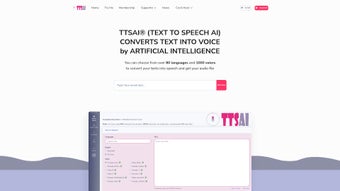
Once logged in, the dashboard presents a text editor on the left and a preview player on the right. Paste or type your content, then select a language from the dropdown. Below the language selector, you’ll find the voice family switch (Standard vs. Neural) and a list of available voice personas with sample audio. Adjust speech rate, pitch, and volume using the sliders, or insert SSML tags directly into the text for custom pauses and emphasis. Click “Synthesize” and wait a few seconds while the cloud engine renders the audio. The generated file appears in the “Recent Projects” panel, where you can download it in MP3, WAV, or OGG format, or copy a shareable link.
API Integration Basics
For developers, TTSAI offers a RESTful endpoint: https://api.ttsai.io/v1/synthesize. Include your API key in the Authorization header and post a JSON payload containing text, language, voice, and optional ssml flags. Responses return a URL to the generated audio file, which can be streamed directly into applications such as chatbots, mobile apps, or telephony platforms. Detailed API documentation, sample code snippets in Python, JavaScript, and Java, and a sandbox environment are available under the “Docs” section of the site.
Because the service is entirely cloud‑based, no local installation is required, and updates are applied instantly. Users simply refresh their browser to benefit from the latest voice models and feature enhancements, ensuring a frictionless experience across Windows, macOS, Linux, Android, and iOS devices.
Pros, Cons, Frequently Asked Questions, and Call to Action
Pros & Cons
- Pros
- Extensive language and dialect coverage (80+ languages).
- High‑quality Neural voices that rival human narration.
- Flexible pricing – free tier, pay‑as‑you‑go, and enterprise plans.
- No client‑side installation; works on any modern browser.
- Robust API with detailed documentation for developers.
- Regular updates add new voices and improve pronunciation.
- Cons
- Internet connection required – offline use is not supported.
- Neural voices are limited to higher‑tier subscriptions.
- Character limits on the free tier may be restrictive for large projects.
- Pricing can become significant for enterprises with massive volume needs.
FAQ – Answers from the TTSAI Knowledge Base
How many characters can I synthesize per month on the free plan?
The free tier provides up to 2,000 characters per month, which is ideal for testing, short announcements, or personal projects.
Is there a way to store generated audio for later use?
Yes. All synthesized files are saved in your “Recent Projects” dashboard for 30 days, and you can download them to your local device for permanent storage.
Can I integrate TTSAI with my existing CRM system?
Absolutely. Use the REST API to generate voice messages on‑the‑fly, then embed the returned audio URLs into CRM notifications, automated emails, or support tickets.
What security measures protect my data?
All traffic is encrypted via HTTPS/TLS, data is processed in memory without persistent storage unless you explicitly download it, and TTSAI complies with GDPR and CCPA standards.
Do you offer custom voice creation for brands?
Yes. Enterprise customers can request bespoke voice models that match a brand’s tone, subject to a separate licensing agreement.
Final Thoughts – Ready to Transform Your Text into Speech?
TTSAI by ENTD stands out as a powerful, easy‑to‑use, and highly scalable text‑to‑speech solution that meets the demands of creators, educators, and businesses alike. Its multilingual reach, Neural voice quality, and developer‑friendly API make it a go‑to choice for anyone looking to add natural audio to digital content. Take advantage of the free tier today, experiment with the diverse voice catalog, and if you need more capacity, upgrade seamlessly to a paid plan. Click the button below to start your free trial and hear the difference that AI‑driven speech can make for your projects.
Start Free Trial of TTSAIGuides & Tutorials for TTSAI by ENTD
How to install TTSAI by ENTD
- Click the Preview / Download button above.
- Once redirected, accept the terms and click Install.
- Wait for the TTSAI by ENTD download to finish on your device.
How to use TTSAI by ENTD
This software is primarily used for its core features described above. Open the app after installation to explore its capabilities.
User Reviews for TTSAI by ENTD 0
No reviews found




